AWS Multi Account Setup
AWS Multi Account Setup
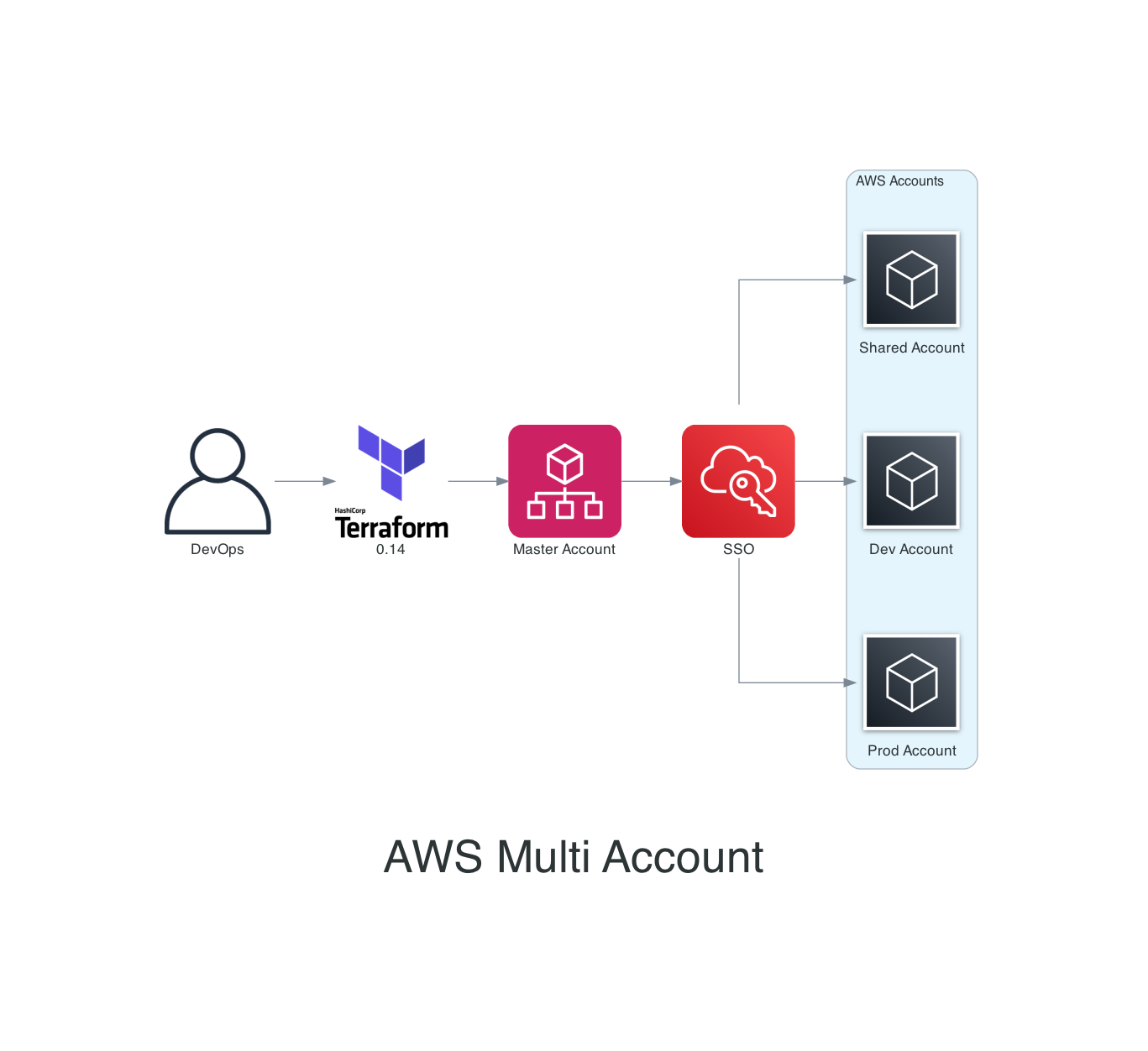
0 - Install DevOps tools
> **Action:** manual/local
1 - Create new IAM User for Terraform Ops
> **Action:** manual/AWS Master Account
2 - Config aws-vault
> **Action:** manual/local
aws-vault add XYZ-master3 - Terraform backend
> **Action:** Terraform/local
Bootstrap new AWS Accounts and creates Terraform Backend resources.
- Create repo: XYZ-terraform-backend - repo clone - Install dependencies
pre-commit install
tfenv install
- add master account folder - use module - use Makefile for aws-vault - use Makefile for TF ops
4 - Master Account => Organization and Accounts
> **Action:** Terraform/local
- Create repo: XYZ-terraform-master - repo clone - Install dependencies
pre-commit install
tfenv install
- use module - add OUs and Accounts - add service access principals: SSO - use Makefile for aws-vault - use Makefile for TF ops
5 - Master Account - Enable SSO
> **Action:** Master Account/Manual
Enable SSO using AWS Console
6 - Master Account - Create Users and Groups in SSO
> **Action:** Master Account/Manual
Create SSO groups and users
7 - Master Account - SSO Permissions
> **Action:** CloudFormation/local
Since AWS SSO is not yet supported with Terraform, Use CFN to configure SSO Permission sets and Assignments.
- update sso cfn template - Run Terraform apply.
8 - Master Account - Route53
> **Action:** Terraform/local
Create Route53 top level domain `example.com`. Migrate old zone if exist.
9 - Shared Account - CodeCommit Repo
If you are using CodeCommit to version IaC, create the repos with Terraform, then setup AWS Cli v2 with SSO and clone the repos then push commits.
10 - Delete Default VPCs
cloud-nuke defaults-aws11 - Deploy Network Stack for Prod Account
VPC and route53 for top level domain.
12 - Deploy Network Stack for other Accounts
VPC and route53 for sub level domain.
13 - Add NS Servers
Other Accounts will output NS Servers for each sub level domain, add them to Prod account, where the top level domain exist. Update Route53 records with NS servers for each sub level domain.